
POS cost guide
Clover Pricing Explained (2026): Plans, Hardware and Processing
Clover’s price depends on who sells it to you. The same Station Duo can come with very different rates, contracts and monthly fees, so it pays to know the baseline before you sign anything.
Here are Clover’s typical 2026 plans and hardware prices, a real cost example for a Phoenix restaurant, and the questions to ask any Clover seller, including us.
Quick answer
The short version
Clover typically costs $0 to about $90 a month in software, plus hardware from about $50 (Clover Go) to about $1,800–$2,100 (Station Duo). Buying direct, in-person processing is usually 2.3% + 10¢ on the restaurant and growth plans and 2.6% + 10¢ on entry plans, with 3.5% + 10¢ for online and keyed payments. Through a reseller, rates, contracts and cash discount options can be very different, for better or worse.
Software plans
Clover’s 2026 software plans
| Plan | Typical monthly cost | Best for |
|---|---|---|
| Payments | $0 | Taking payments only, no POS features |
| Essentials | About $15–$30 | Simple retail and service businesses |
| Counter Service Restaurant | About $60 | Cafés, quick-service, food trucks, bakeries |
| Table Service Restaurant | About $90 | Full-service restaurants, bars and breweries |
| Retail / Services Growth | About $85 | Inventory-heavy retail, appointment businesses |
Plan for apps on top. Clover’s app market is one of its strengths, but loyalty, scheduling, advanced inventory and online ordering add-ons each carry their own monthly fee.
Hardware
Clover hardware prices
| Device | Typical price | Good for |
|---|---|---|
| Clover Go | About $50–$200 | Card reader paired with a phone |
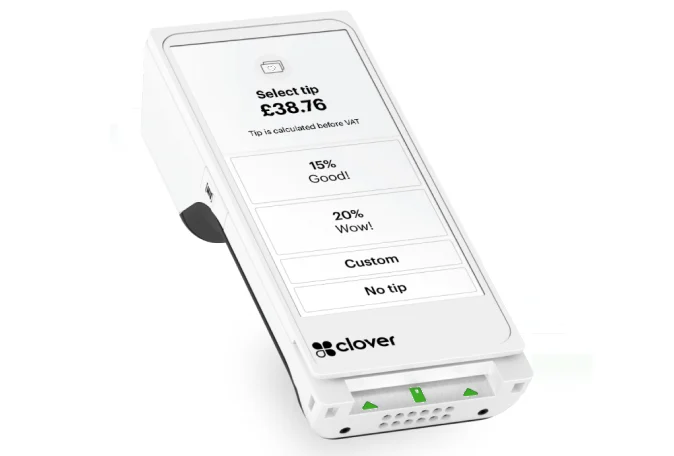
| Clover Flex | About $600–$750 | Handheld with built-in printer, tableside and line-busting |
| Clover Mini | About $800–$900 | Compact countertop POS |
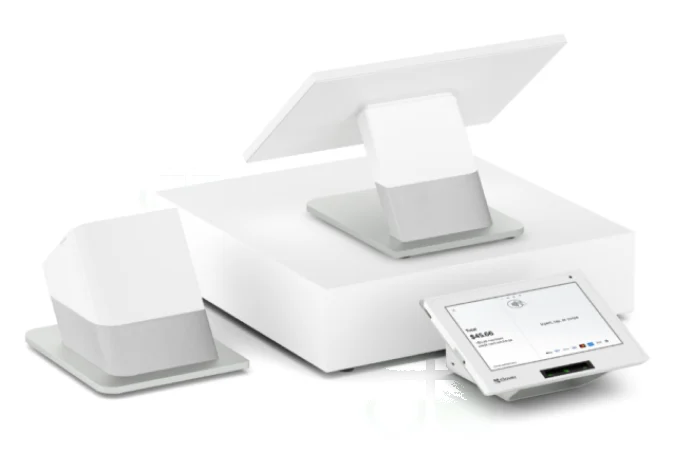
| Clover Station Solo | About $1,700–$1,800 | Full countertop station |
| Clover Station Duo | About $1,800–$2,100 | Countertop station with a customer-facing screen |
Clover hardware costs more than Square’s, but it’s built heavier and many restaurant and retail owners like the all-in-one stations with printers and cash drawers built in. The big question isn’t the price tag, it’s how you pay for it: buying outright, financing, or a lease. Leases can end up costing several times the hardware price and are hard to cancel.
Processing
How Clover processing pricing works
Clover always comes with a merchant account, and that’s where your biggest cost lives. There are three common ways it’s priced:
- Flat rate (direct from Clover): about 2.3% + 10¢ in person on restaurant and growth plans, 2.6% + 10¢ on entry plans, 3.5% + 10¢ for online and keyed payments. Simple and predictable.
- Interchange-plus (through a processor): you pay the card network’s actual cost plus a fixed markup. Usually cheaper once you process more than about $10,000 a month, and fully transparent on your statement.
- Cash discount or dual pricing (through a processor): customers paying by card cover the processing cost, and your effective rate can drop close to zero. This is the main reason many Arizona restaurants choose Clover. Read the Arizona rules first.
Example
What a Phoenix restaurant would pay
A full-service restaurant doing $60,000 a month in card sales with a $45 average check.
| Clover (direct, Table Service) | Square Plus | |
|---|---|---|
| Monthly software | About $90 | $49 |
| In-person rate | 2.3% + 10¢ | 2.5% + 15¢ |
| Monthly total | About $1,603 (2.67%) | About $1,749 (2.92%) |
| Typical hardware | Station Duo + 2 Flex: about $3,400 | Register + 2 Handhelds: about $1,700 |
At this volume Clover’s lower rate saves about $145 a month, or roughly $1,750 a year, which pays back the extra hardware cost in about a year. With a dual pricing program, the processing line could shrink to almost nothing. For a small café with $8 tickets, the math often flips back toward Square. Compare both in our Square vs. Clover guide.
Before you sign
Questions to ask any Clover seller
- What is my exact processing rate, in writing, for in-person, online and keyed payments?
- How long is the contract, and what is the early termination fee? Bundled Clover deals often run 36 to 48 months.
- Am I buying, financing or leasing the hardware? If it’s a lease, what’s the total cost over the full term?
- Which monthly fees are on my statement? Ask about PCI, statement, batch and minimum fees.
- Do I own the hardware at the end, and can it be used with another processor?
- Who supports me locally when something breaks on a Friday night?
We sell Clover, and we’ll answer every one of these in writing before you sign.
Want real numbers? Book a free consultation and we’ll quote Clover and Square side by side. See Clover POS and restaurant POS.

FAQ
Clover pricing questions
How much does Clover cost per month?
Clover software typically runs from $0 for the Payments plan to about $90 a month for the Table Service Restaurant plan, plus processing fees and any app subscriptions. Many sellers bundle hardware into a monthly payment, which raises the monthly cost.
What are Clover’s processing fees?
Buying direct, Clover’s in-person rate is typically 2.3% + 10¢ on restaurant and growth plans and 2.6% + 10¢ on entry plans, with 3.5% + 10¢ for online and keyed payments. Through a processor you may get interchange-plus pricing or a cash discount program instead.
Does Clover require a contract?
It depends on who sells it. Some sellers offer month-to-month terms, while bundled hardware deals often come with 36- to 48-month contracts or leases. Always ask for the term and early termination fee in writing.
Is Clover cheaper than Square?
For businesses with higher volume or larger average sales, Clover’s lower in-person rate can make it cheaper, and cash discount programs can lower the cost further. For small businesses with small tickets, Square is usually cheaper because it has a free plan and lower-cost hardware.
Can I use cash discount or dual pricing with Clover?
Yes. Through a processor, Clover devices can run cash discount and dual pricing programs that show both prices and apply the correct one automatically. The program must follow card network disclosure rules.
Sources: Merchant Maverick: Clover POS cost · Clover software plans compared · Square fees
Better rates and the right setup.
Book a free consultation with a local expert. We’ll review what you pay today and recommend the right setup for your business.
Free consultation
Tell us a little about your business. A local payments expert will reach out to help you choose the right setup.
No cost, no obligation. We never share your information.