
POS cost guide
How Much Does Square Really Cost in 2026?
Square can cost $0 a month, but most businesses pay somewhere between 2.6% and 4.5% of card sales once you add the per-payment fee, the plan and the hardware.
Here’s every cost, with real numbers for an Arizona café, boutique and restaurant, and how to tell which plan actually saves you money.

Quick answer
The short version
On Square’s Free plan you pay $0 a month and 2.6% + 15¢ for every tap, dip or swipe. Square Plus is $49 a month per location (2.5% + 15¢) and Square Premium is $149 a month (2.4% + 15¢). Hardware is a one-time cost, from $59 for a card reader to $899 for Square Register. For most small Phoenix and Tucson businesses, the real all-in cost lands around 2.8% to 3.1% of card sales, and higher if your average sale is small.
Plans & processing
Square’s 2026 plans and processing rates
Square combined its separate restaurant, retail and appointment plans into three plans: Free, Plus and Premium. Your processing rate depends on which one you’re on.
| Square Free | Square Plus | Square Premium | |
|---|---|---|---|
| Monthly software | $0 | $49 per location | $149 per location |
| In person (tap, dip, swipe) | 2.6% + 15¢ | 2.5% + 15¢ | 2.4% + 15¢ |
| Online & invoices | 3.3% + 30¢ | 2.9% + 30¢ | 2.9% + 30¢ |
| Keyed-in or card on file | 3.5% + 15¢ | 3.5% + 15¢ | 3.5% + 15¢ |
| Best for | Getting started, small tickets | Growing shops and restaurants | Higher volume, 24/7 support |
Two details catch people off guard. First, the 15¢ per payment matters more than the percentage when your sales are small: on a $10 coffee order, 2.6% + 15¢ is 41¢, which is an effective rate of 4.1%. Second, cards issued outside the US add another 1.5%, which shows up more than you’d think in tourist areas like Scottsdale and during Tucson’s winter season.
Hardware
What Square hardware costs
| Device | Price | Good for |
|---|---|---|
| Square Reader (contactless & chip) | $59 | Using your own phone or tablet |
| Square Stand | $149 + your iPad | Countertop checkout on an iPad |
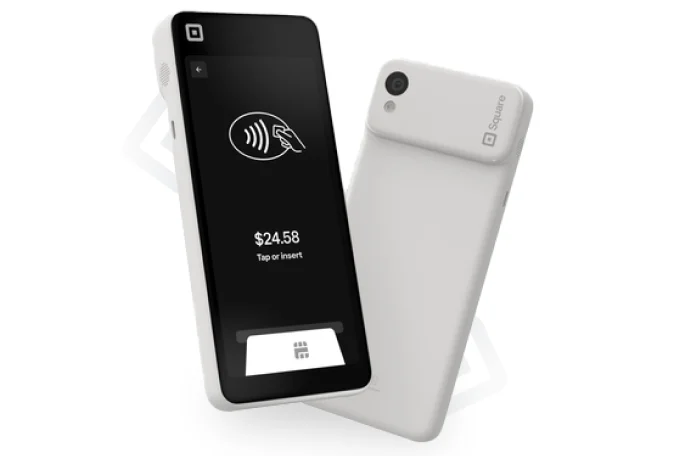
| Square Terminal | $299 | All-in-one with a built-in receipt printer |
| Square Handheld | $399 | Tableside, line-busting, food trucks, events |
| Square Register | $899 | Two-screen countertop for busy counters |
A typical single-counter café spends about $500 to $1,300 on hardware: a Terminal or Register, a cash drawer, a kitchen printer, and maybe a Handheld for the rush. Square sells direct, so prices are the same everywhere. What changes is how well it’s set up.
Real examples
What three Phoenix and Tucson businesses would pay each month
Processing plus monthly software, all in-person card sales. We ran each one on all three plans.
| Business | Square Free | Square Plus | Square Premium |
|---|---|---|---|
| Tempe coffee shop $25,000/mo, $8 average sale | $1,119 (4.47%) | $1,143 (4.57%) | $1,218 (4.87%) |
| Scottsdale boutique $40,000/mo, $60 average sale | $1,140 (2.85%) | $1,149 (2.87%) | $1,209 (3.02%) |
| Phoenix restaurant $80,000/mo, $35 average sale | $2,423 (3.03%) | $2,392 (2.99%) | $2,412 (3.01%) |
Notice the coffee shop. Its effective rate is almost 4.5%, not 2.6%, because thousands of small payments each carry a 15¢ fee. That’s exactly the kind of business where a cash discount or surcharge program can make a real difference.
Choosing a plan
When Square Plus or Premium actually pays for itself
On processing alone, the math is simple:
- Plus beats Free once you do about $49,000 a month in in-person card sales, or about $12,250 a month in online orders (online drops from 3.3% to 2.9%).
- Premium beats Plus at about $100,000 a month in in-person card sales.
But most people upgrade for features, not rates. Plus adds things like loyalty, staff management and the restaurant tools, and it’s required for add-ons such as the Square KDS kitchen display ($30 per device per month) and Square Kiosk ($50 per device per month). If you need those, Plus is the floor. If you don’t, stay on Free until the numbers say otherwise.

Extra costs
Costs that aren’t on the pricing page
- Keyed-in payments: 3.5% + 15¢. Phone orders and typed-in cards cost the most. Card-on-file and invoices help.
- Add-on apps: KDS and Kiosk are per device, per month, and need Plus or Premium.
- Afterpay: 6% + 30¢ if you turn on buy-now-pay-later.
- Accessories: the Terminal Hub for a cash drawer or wired internet, printers, paper and scanners.
- Payroll: Square Payroll is a separate monthly cost if you use it.
- Setup time: menus, modifiers, taxes and staff permissions take hours to get right. A bad setup costs money in slow lines and wrong tickets.
There are no long-term contracts and no cancellation fees with Square, which is a big part of its appeal.
Want your own numbers? Book a free consultation and we’ll price Square and Clover side by side for your business.
FAQ
Square cost questions
Is Square really free?
The Square Free plan has no monthly fee, so you only pay processing fees when you take a card payment: 2.6% + 15¢ in person and 3.3% + 30¢ online. You still need to buy hardware, starting at $59 for a card reader, or you can take payments with Tap to Pay on a compatible phone.
What is Square’s processing fee in 2026?
On the Free plan, 2.6% + 15¢ for in-person payments, 3.3% + 30¢ for online payments and invoices, and 3.5% + 15¢ for keyed-in payments. Square Plus lowers in-person to 2.5% + 15¢ and Square Premium to 2.4% + 15¢, and both lower online to 2.9% + 30¢.
Does Square charge a monthly fee?
Only if you choose a paid plan. Square Plus is $49 a month per location and Square Premium is $149 a month per location. Add-ons such as the kitchen display and kiosk apps are extra, per device.
Does Square have contracts or cancellation fees?
No. Square plans are month to month and you can cancel or switch plans any time. Hardware you buy is yours to keep.
Is Square cheaper than Clover?
Usually to start, because Square has a free plan and lower-cost hardware. At higher volumes the gap narrows, since Clover’s in-person rate can be lower and Clover supports cash discount programs. We compare both for your volume during the free consultation.
Can I lower my Square processing fees?
Yes. Encourage tap and chip payments over keyed-in cards, check whether Plus or Premium pays for itself at your volume, and consider a compliant credit card surcharge. Businesses processing over $250,000 a year can also ask Square about custom pricing.
Sources: Square fees · Square pricing · Square hardware · Square fees by payment type
Better rates and the right setup.
Book a free consultation with a local expert. We’ll review what you pay today and recommend the right setup for your business.
Free consultation
Tell us a little about your business. A local payments expert will reach out to help you choose the right setup.
No cost, no obligation. We never share your information.